
We asked our Newsletter subscribers to tell us what plugin they wish they’d have had time to build, and then we built it for them in 24h. We were only supposed to do 1, but we got more suggestions, so we decided to build them all.
We built these plugins using our reference implementation of the framework that helps organizations move from individual AI usage to organizational AI usage.
The reference implementation can turn a one-paragraph description or a video call transcript into shippable code in ~24h. But this isn’t magic, it’s not a one shot where you sit back and just watch. You have to interact with it, give it direction when there are multiple stakeholder agents that have opposing opinions, you need to review the data flows and the proposed architectural decision records. It’ll ask you questions and it will need human judgment as input, but it takes care of everything an AI can, including drafting the requirements, the acceptance criteria, proposing an architecture, coding it to spec, running reviews, tests, and even sending a video walk-through it created to stakeholders in Slack when it’s done (we’re quite fond of that feature, check them out below).
The framework has five prerequisites: coordination, context, pipeline, harness, and compounding. All five have to be in place for this to scale to a team, but context is the one doing the most visible work here, so it’s worth spending a minute on.
One of the reasons our reference implementation is able to create high quality plugins is the amount of context it has. We’ve greatly expanded upon the core WordPress skills and we have an agent that creates context for existing community plugins. While you can often rely on LSP to guide your coding agents to get off to a good start, it doesn’t always catch everything. It also doesn’t know exactly where each hook runs, which ones are better for which outcomes, and it certainly doesn’t know about known bugs or incompatibilities with other plugins.
Some of this is discoverable, we have an agent that creates initial context for a plugin based on the code, the support pages, guides we find online, potential existing bugs from GitHub, and potential incompatibilities with other plugins flagged in the support forums. But the really useful context is the hard-won context, the kind that only comes from the system making mistakes and either having a reviewing agent fix them or having a human correct them. The feedback loops ensure that this information is part of the context for that plugin going forward.
Our reference implementation has built over 100 plugins by now, many of them automated runs whose sole purpose was to create context for community plugins or for WordPress in general. That accumulated context is why the output looks the way it does. The infrastructure (agents, review gates, orchestration) is relatively straightforward. The context is what compounds. Your implementation would build its own as you use it: knowledge of your codebase, your patterns, your stakeholders’ priorities.
We’ll probably redo this stunt in a few weeks. If you want in on the next round, sign up for email updates or follow us on LinkedIn, that’s where we’ll be capturing suggestions.If you’re curious about how we’d help your team build something like this, reach out, happy to chat. Or start with the framework if you want the longer version first.
Games Database Plugin
We received this suggestion from KG:
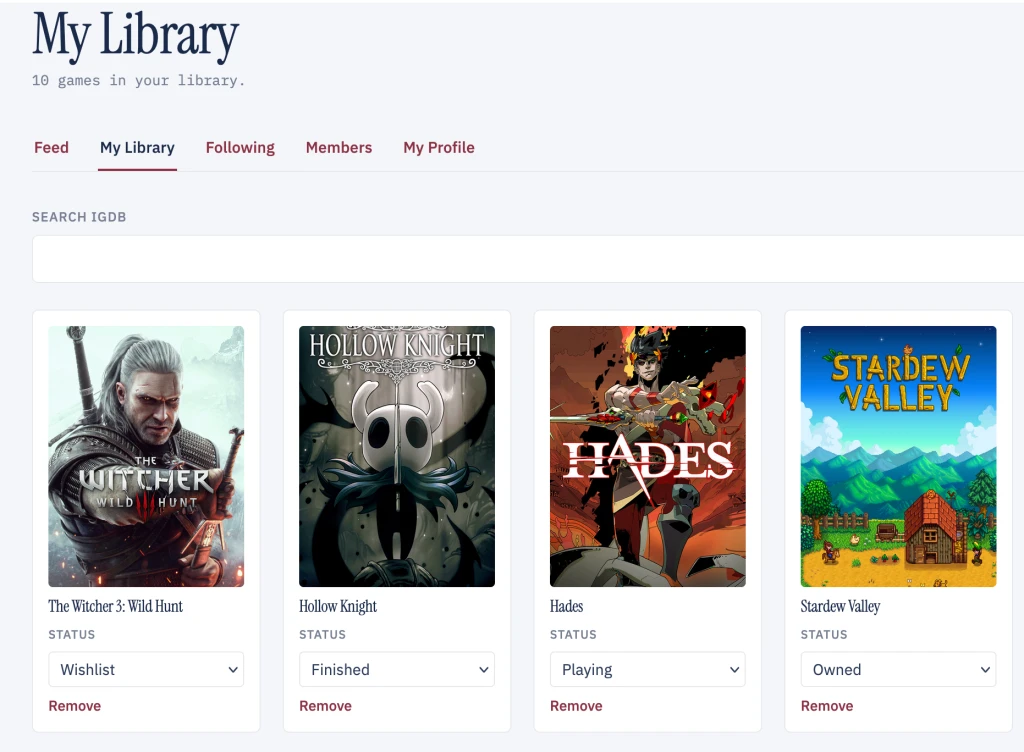
“I would like a WordPress site that integrates with Amazon’s Internet Games Database to allow WordPress users to curate their video game collections, including what games they own, are playing, have finished, or have in their backlog or wishlists. Importing and exporting CSV/JSON is a must, to facilitate easy onboarding for new users. They can share these personal libraries on their user profiles and even follow each other to get a feed of what other gamers are playing. Every game has its own post/page/lightbox that lists all its metadata (release date, publisher, developer, etc.). Maybe the backend uses CPTs, or it queries the IGDB API with Remote Data Blocks, or some other technology.”


Walkthrough
See it in action
Live demo
Try it yourself
Boots a fresh WordPress in your browser with the plugin activated and demo content loaded. Nothing is saved — refresh to start over.
Boot takes about 15 seconds. Runs 100% in your browser.
Booking Calendar
We had a great call with RW and he made this suggestion:
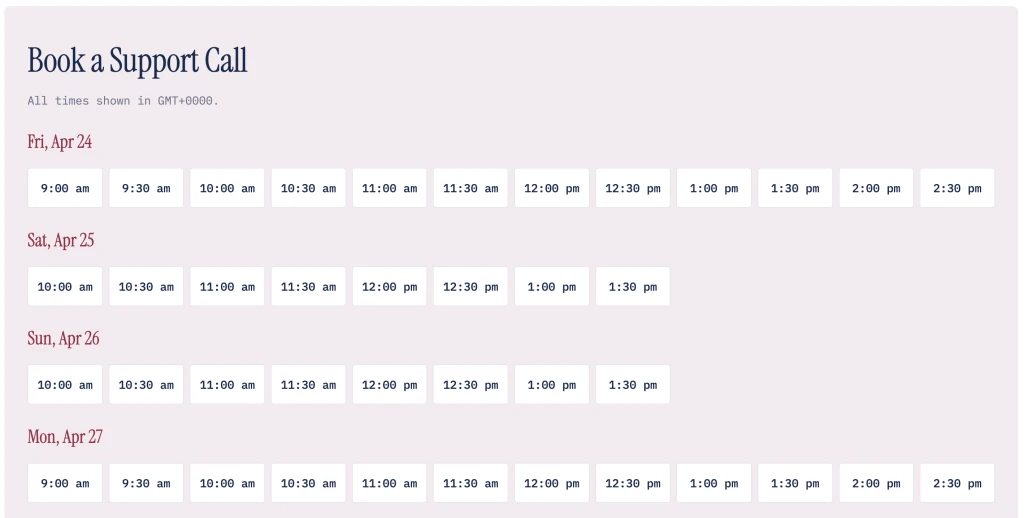
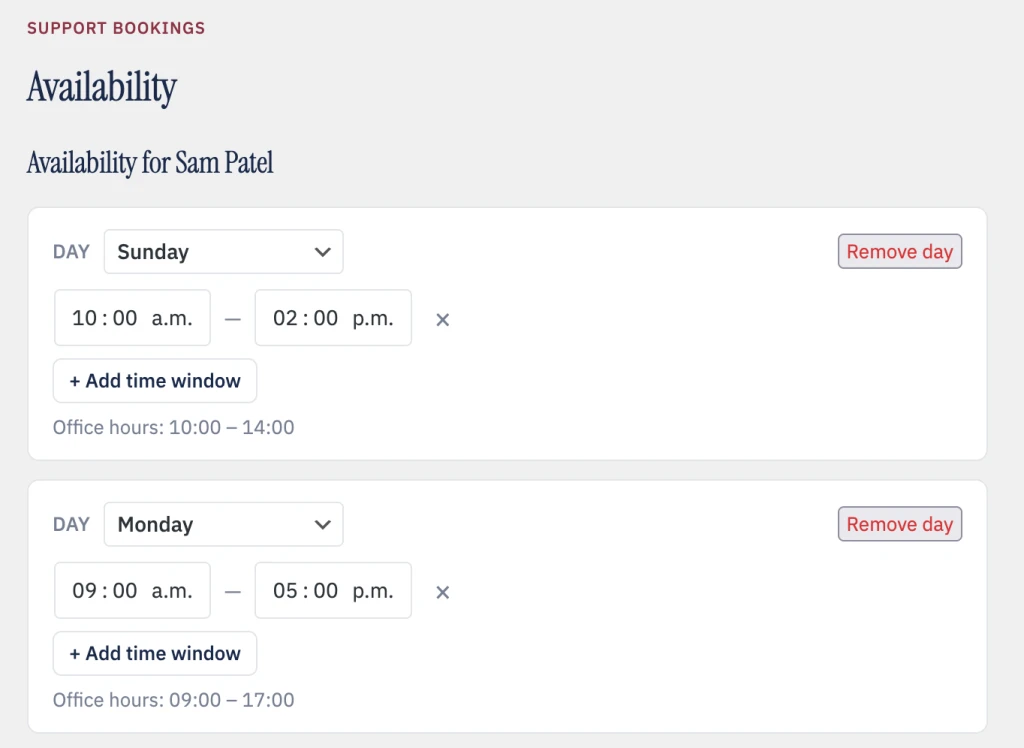
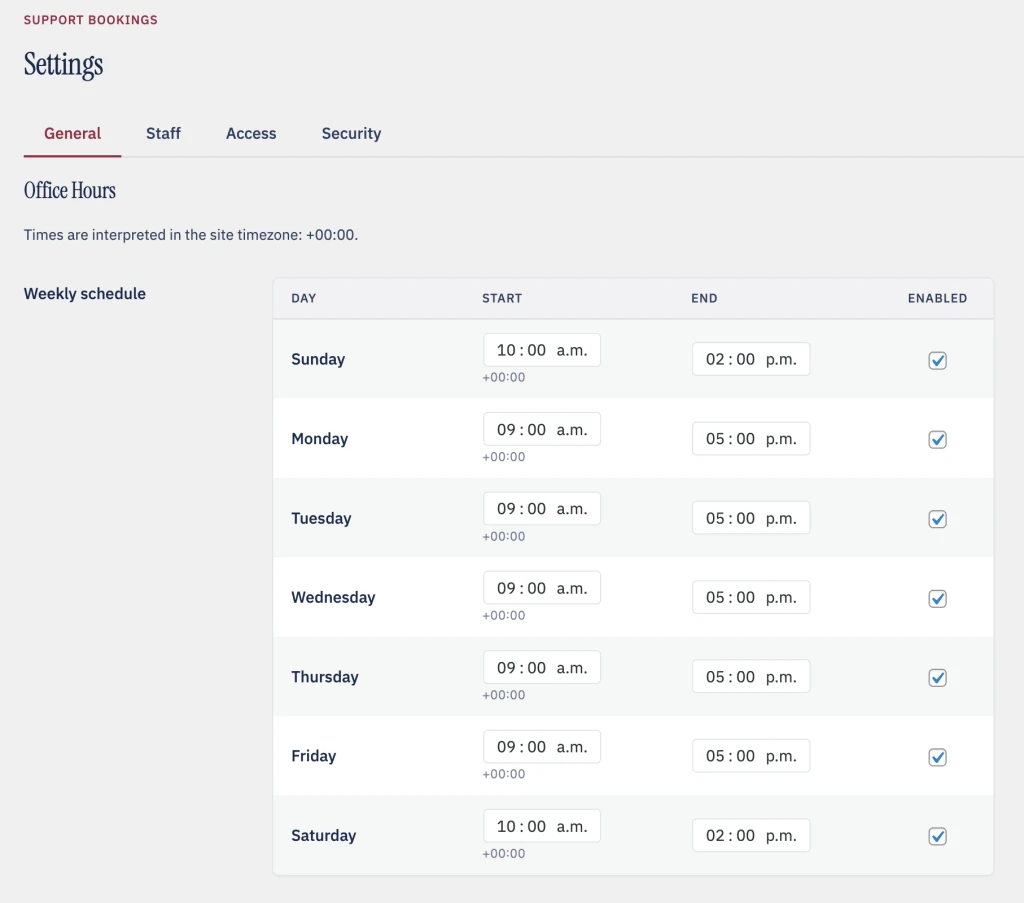
“I want to have a plugin where clients can book support calls with me or somebody from my support team. […] Let’s say that there’s an office hours between noon and 3pm […] and there’s a pool of support folks. You don’t necessarily have to book with an individual person, but maybe if you have someone you’ve worked with before, maybe you can. […] Administrators would have access to add people to this list […] and set availability maybe for that person. […] For the purposes of a demo [let anyone book without account verification] but for production you’d want to have some gate to keep the riffraff out.”
Walkthrough
See it in action
Live demo
Try it yourself
Boots a fresh WordPress in your browser with the plugin activated and demo content loaded. Nothing is saved — refresh to start over.
Boot takes about 15 seconds. Runs 100% in your browser.
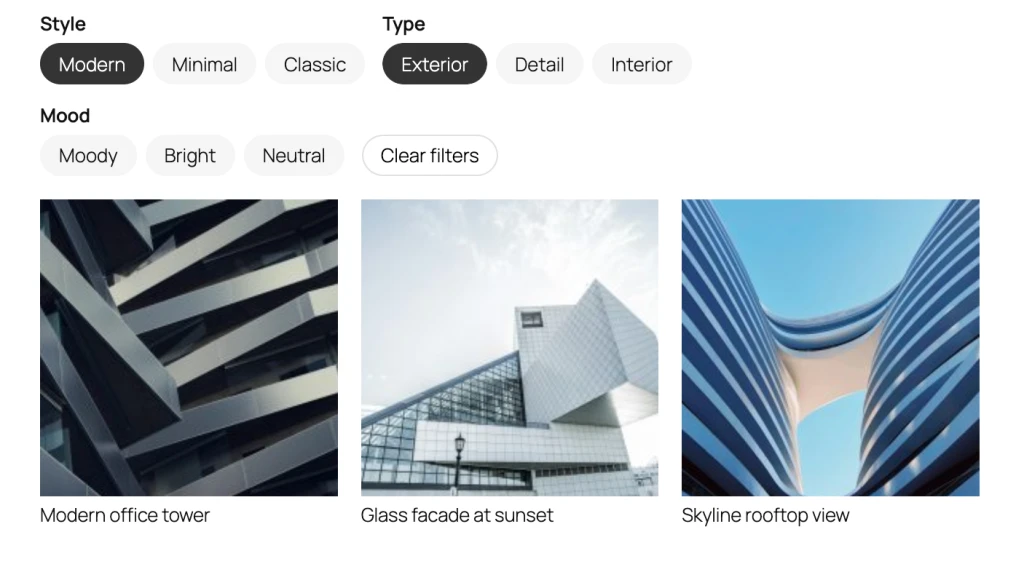
Image Gallery with Metadata
We had an idea for making an image gallery that let you store metadata with images. The block would let you store a schema for that block, and add optional filtering for the fields you add. Then, each image can contain data for the schema and the values can be filtered. The plugin would register a new block, add the ability to create metadata schema per-block in the sidebar, and let you add data for each schema value for each image. It would also add a modal where the metadata can be displayed.



Walkthrough
See it in action
Live demo
Try it yourself
Boots a fresh WordPress in your browser with the plugin activated and demo content loaded. Nothing is saved — refresh to start over.
Boot takes about 15 seconds. Runs 100% in your browser.